EVEN MORE REASON TIPS
Jul 1, 2003 12:00 PM, Tage Widsell, Marketing Director, Propellerhead Software
advertisement
|
CURRENT NEWSSTAND ISSUERead the full Table of Contents for the issue on sale now! Click here Subscribe for only $1.84 an issue! Please tell us about yourself so we can better serve you. Click here to take our user survey. |
| |
![]() |
Life in the Fast Lane This collection of St.CroixÕs columns was assembled during the two years following his death of cancer in May 2006. Included are many of his most-read columns, as well as personal notes, drawings and photographs. Click for more books |
![]() Listen to these latest podcasts and more: |
|
eDeals Newsletter for Discounts on GearGet First Dibs on Hot Gear Discounts, Manufacturer Close-Outs and Job Opportunities when you sign up to receive eDeals E-newsletter, sent twice a month. Check out an issue get advertising info or subscribe |
|
- Get Reason 2.5
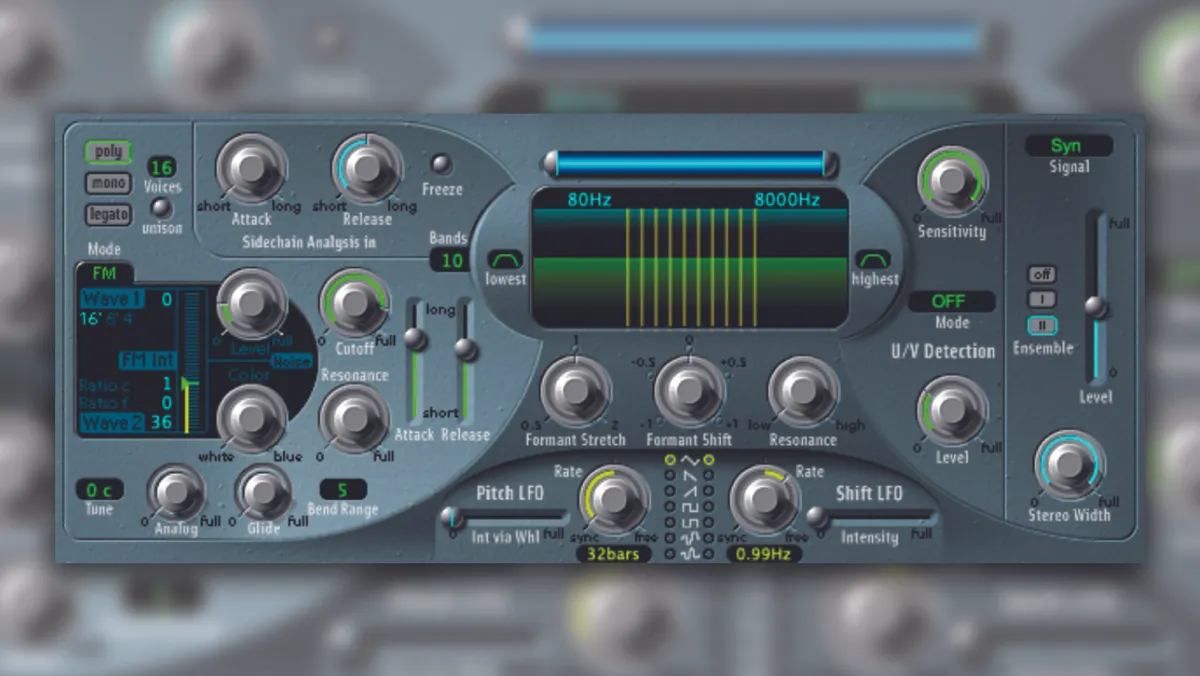
By the time this article goes to print, Reason 2.5 should be shipping. The update is a free download for registered owners of Reason 2.0 and comes packed with new cool effects units: RV7000 Advanced Reverb, BV512 Vocoder, Scream 4 Sound Destruction Unit, UN-16 Unison, Spider Audio Splitter&Merger, and Spider CV Splitter&Merger. Get it now!
- Building drum kits from Rex loops
One of Reason's most overlooked features is its ability to open Rex file slices in the Redrum drum machine. Click the Sample Load button and locate a Rex loop. That will let you preview the loop. Double-clicking on the loop will open it as if it were a folder, displaying all the slices within the Rex file. Select the one you want to use and click the Open button.
- Work on your default song
Reason allows you to work very quickly, which enables you to nail down your ideas before they vanish. To work even faster, try making your own default song that opens when you open Reason. An efficient default song could make use of keyboard remote mapping to mute mixer channels, load Redrum patterns, etcetera. You can have your favorite drum kit already loaded in a Redrum unit, and perhaps a few basic Instruments already in place as well. A good effects setup for your mixer is always handy, too.
- EQ your tracks
A good way to make your finished tracks sound even more complete is to EQ them. To do that, run the full mix through the new BV512 vocoder, with the vocoder set to Equalizer mode. It's important to have it running in 512-band mode, because the lower band settings will color the sound. Remember, subtlety is the key to good master equalizing.
- Modulate that modulation
Reason 2.5 comes with the handy Spider utilities for splitting and merging audio and CV signals. Using those, you can easily merge two or more CV signals to create some very complex modulation setups that are good for producing rich, organic sounds. Try taking the output from two LFOs running at different frequencies and merge them.
- Learn how to use MIDI remote
Using a MIDI controller with Reason makes life a lot easier. Many people don't realize how useful the user-configurable MIDI remote function is. Think of it as an extra layer of MIDI control that is available for the whole rack, not just for the track that is selected in the sequencer.
- ReCycle your loops
A common misconception about ReCycle is that its primary use is to allow you to change the tempo of a loop. That is only part of the glorious truth. ReCycling a loop is like modeling clay into any shape you want. Transpose it, quantize it, change the individual samples — do what you want. Once you get used to ReCycle, there's no going back.
- Add warmth to your mixes
Apart from equalizing your mix, Reason 2.5 has another sweet trick for spicing up your mixes. Run your stereo mix through the Scream 4 Sound Destruction Unit set to the Tape algorithm. Set the Damage Control to a moderate value, the Tape Speed to full, and be generous with the compression. That will add analog warmth and sparkle to your mix by emulating the way that sound is compressed on analog tape.
- Don't forget the audio inputs on the Malström
We all know that the Malström is a wonderful synthesizer, but it is easy to forget that it is also a wonderful effects processor. Using its audio inputs (they are on the back), you can route any sound source from the Reason rack through the Malström's powerful filter and modulation sections.
- Use the Web
The Web is an invaluable source for Reason tips and tricks. Check out the links section at www.propellerheads.se. Another good tip is to download songs from song archives like the one at propellerheads.se or reasonstation.net. Looking at how other producers build their tracks is always a good way to learn more.
Acceptable Use Policy blog comments powered by Disqus
Want to use this article? Click here for options!
© 2009 Penton Media, Inc.